

One place where the work actually gets done.
Projects broken into deliverables, tasks and subtasks, with built-in timers, approval rounds and a complete audit trail on every change. Part of Savvy Software, built by the team at Savvy Signature.
Busy is not the same as on track.
Ask four people about the same deliverable and you get four different answers.
"I finished the design on Tuesday."
"Nobody told me it was ready for dev."
Homepage Build
"Which version did the client approve?"
"How many hours did this actually take?"
Four answers, one task, no source of truth.
See how one workflow settles it ↓From project to go-live, one workflow.
Nine real statuses, four phases, zero ambiguity. These are the actual stages every deliverable moves through.
Break the project down
Each project splits into work items, the actual deliverables, like a homepage build or a brand kit.
Assign and get moving
Tasks are typed as design, development or review, and assigned with priority, due dates and subtasks.
Prove the work
Approval and revision rounds are part of the flow, not a side thread. Every round is numbered and logged.
Go live with a paper trail
Timers, approvals and every status change roll up into time reports and the audit trail.
Push a deliverable from brief to live, right here.
Sample data only. Nothing is saved and nobody is notified.
Homepage + 4 Inner Pages
Horizon Interiors · Website Refresh
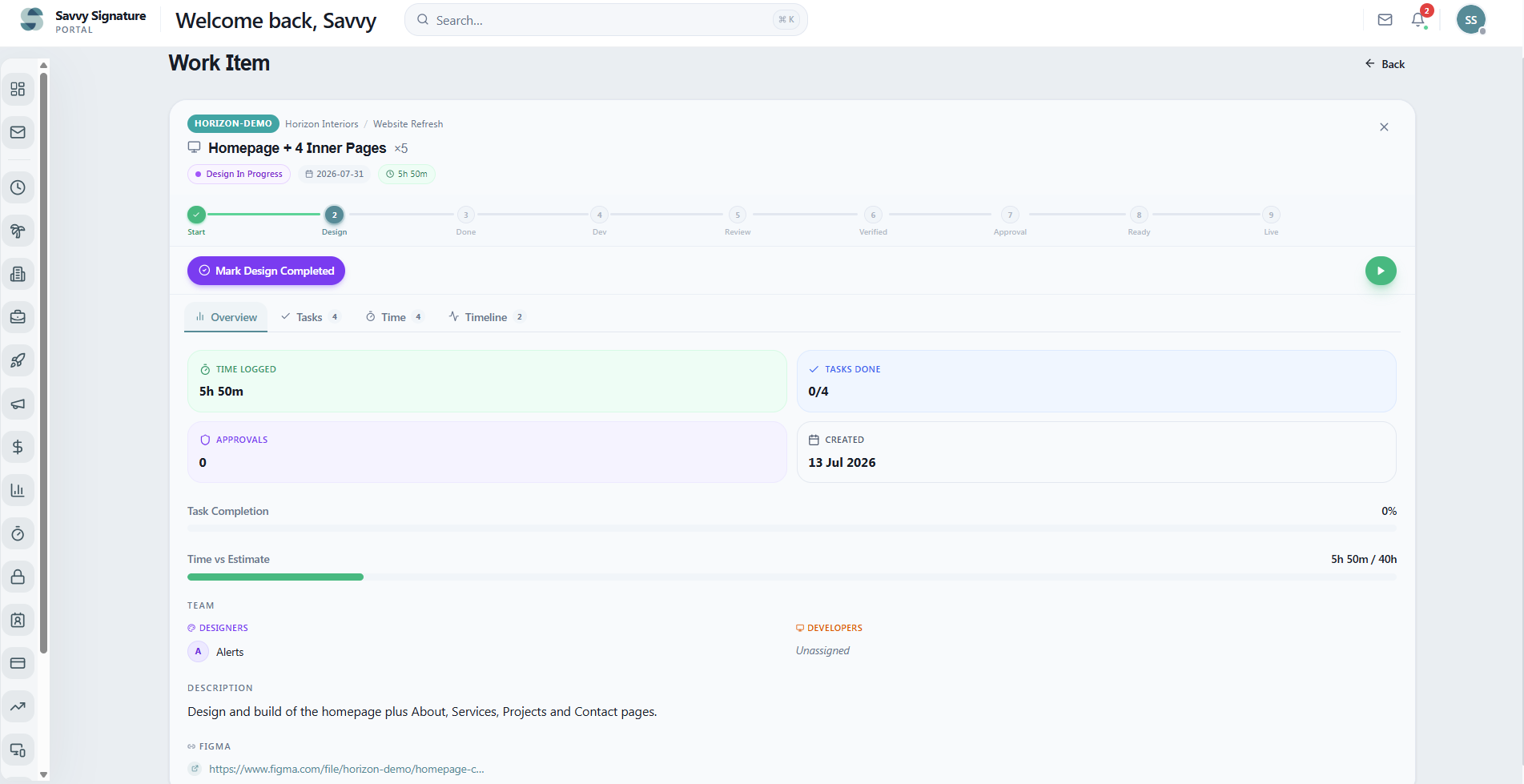
Open an item, see the whole story.
The dashboard shows the whole board. One click deeper, and every deliverable carries its own complete record.
Structure for the work, proof for the process.
Task management, time tracking and approval workflows shaped by the way real website design and development projects actually run.
Deliverable hierarchy
Projects, work items, tasks and subtasks, with Figma links and files attached where the work happens.
Role-based assignment
Clear ownership on every deliverable, with priorities from urgent to low.
Nine-stage workflow
Design, development, review and admin approval stages, so status is never a guess.
Built-in time tracking
Start, pause and resume timers on any task. Durations roll into time reports and the activity heatmap.
Approval rounds
Designer review and admin final approval, with numbered rounds and comments on each cycle.
Immutable audit trail
Every status change, assignment, approval and timer event is logged with actor and timestamp, and cannot be edited.
Connected to the tools around it.
Task Tracker lives inside the Savvy portal with the rest of the platform, so the work and its tools stay in one place.
Microsoft Planner
Projects and tasks sync into Planner, so the work also shows up across your Microsoft 365 world.
Figma links
Designs attach directly to the tasks and deliverables they belong to. No hunting through messages.
Portal notifications
Assignments, approvals and status changes reach the team inside the portal they already work in.
Before you roll it out.
How is work structured?
Projects contain work items, the deliverables. Work items contain tasks, and tasks can be broken into checkable subtasks. Everyone works from the same hierarchy.
Can we track time against tasks?
Yes. Timers start, pause and resume per task, record durations and pause time separately, and roll up into time reports and an activity heatmap.
How do approvals work?
A task or deliverable is sent for designer review or admin final approval. Each cycle is a numbered round with comments, and revisions are requested through the same flow.
Do designers and developers share one workflow?
Yes. The status flow covers the design and development stages of the same deliverable, so handoff is a status change, not a meeting.
What ends up in the audit trail?
Every status change, assignment, link, approval and timer event, each with the person who did it and a timestamp. The log cannot be edited afterwards.
Does it work with Microsoft Planner?
Yes. Projects and tasks can sync to Microsoft Planner, so work also shows up inside your Microsoft 365 environment.
Where do signed proposals fit in?
When a client signs and pays through Proposal Builder, that project is ready to be broken into work items and tasks here. One record from quote to delivery.
Something specific to your team?
Ask us directly →Built by a team that runs this work daily.
Savvy Signature is a full-service digital agency, and Task Tracker is how we keep our own client services on schedule.
Improve Team Productivity With Connected Task Management
Whether you're managing a marketing agency, professional services firm or growing business, keeping teams aligned is critical. Our Task Tracker Software centralises every task, approval and workflow into a single platform, giving managers complete visibility across departments. Integrated with the Timeline Board, Client Portal and Business Automation Platform, your team spends less time chasing updates and more time delivering results. It's everything your team needs from task management software in Australia, as part of one connected business platform.
One of five connected modules.
Each module works on its own, and every one you add works with the rest.
Give the team one place where the work actually lives.
See Task Tracker running on a real project.